Smart door locks promise convenient access, but convenience can hide weak routines. A dead battery, outdated firmware, or forgotten guest code may undermine an otherwise modern entrance. This guide explores how to maintain smart door security systems through practical checks, informed decisions, and consistent attention.
Bruce Schneier, a respected security technologist, famously said, “Security is a process, not a product.” That principle fits smart doors perfectly. Protection does not end when installation finishes. Owners should inspect the lock monthly, test manual access, and replace batteries before warning signals become urgent. They should also install verified firmware updates, remove inactive users, and review access logs for unfamiliar activity. Small actions matter.
Keep the door hardware secure, too. Check loose screws, damaged strike plates, and alignment problems around the latch. A smart lock cannot compensate for a weak frame. Test alerts with the door closed and open. Confirm that temporary codes expire as intended. Review connected apps and remove devices no longer in use. These steps are simple, but they are often skipped.
No system is completely fail-safe. Cloud outages happen. Phones are lost. Some updates may change settings unexpectedly. Therefore, keep a trusted backup entry method and protect emergency credentials carefully. Avoid sharing access codes through public messages. Manufacturer instructions remain essential because maintenance intervals differ by model. This article offers a practical framework, not a substitute for professional assessment. Proper records, cautious testing, and regular review create stronger protection than technology alone.
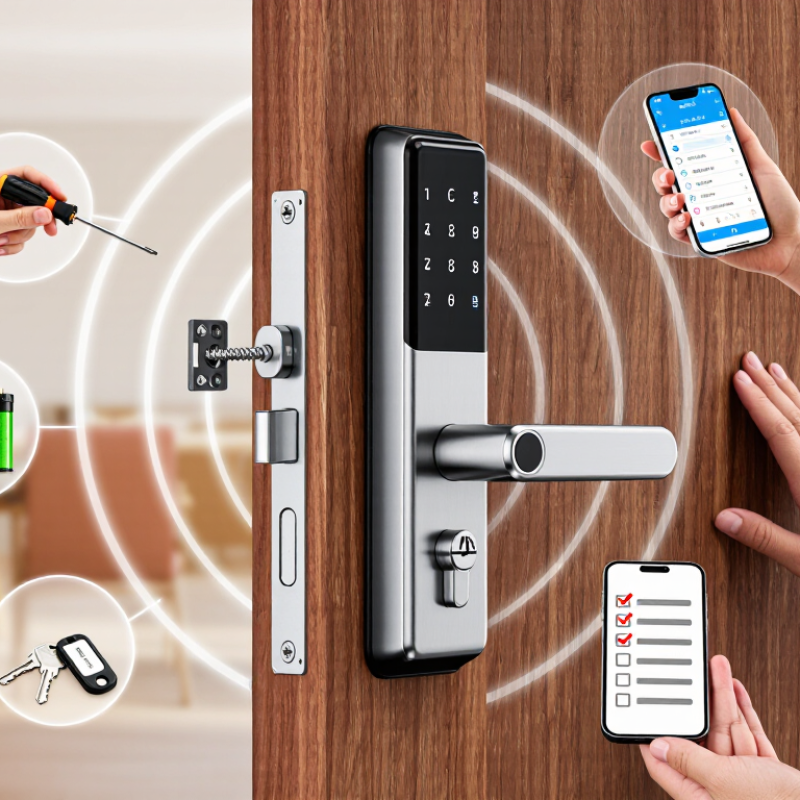
Smart door security is often treated as a hardware problem. Recent breach analysis shows that human factors contribute to 68% of breaches. Weak passwords, shared accounts, rushed approvals, and ignored alerts can defeat strong locks. In practical security reviews, the small routine is often the real weakness. No system is flawless.
Tip: Limit access by role, not convenience. Each resident or employee should use a unique account and strong authentication. Remove former users immediately. Review access logs every month, especially after staff changes. A forgotten tablet near a reception desk can expose more than expected.
Tip: Update firmware, mobile apps, and control hubs on a fixed schedule. Turn on automatic updates when the setting is trustworthy. Test remote unlocking after every major change. Then check the physical door. Digital access may work while a loose strike plate creates a serious gap. That mistake is easy to miss.
Tip: Train users with short, realistic examples. Show how a fake delivery message could request a code or approval. Require people to verify unusual requests through a separate channel. Keep alerts visible, but avoid sending too many. People ignore noise. Review emergency procedures twice a year, and question assumptions that seem obvious.
| No. | Security Risk | Recommended Control | Practical Action | Suggested Review Cycle | Priority |
|---|---|---|---|---|---|
| 1 | Weak or reused credentials | Use unique passwords and multi-factor authentication where available. | Store credentials in an approved password manager and disable shared accounts. | At onboarding and after personnel changes | Critical |
| 2 | Unchanged default settings | Replace default usernames, passwords, PINs, and recovery details. | Complete a configuration checklist before connecting the lock or controller to a network. | Before deployment and after reset | Critical |
| 3 | Delayed firmware and software updates | Maintain supported firmware and apply security patches promptly. | Subscribe to security notifications and test updates before broad deployment when possible. | Monthly and whenever an alert is issued | High |
| 4 | Excessive user permissions | Apply least privilege and role-based access. | Give administrators only the access required for their duties and remove inactive users. | Monthly | High |
| 5 | Phishing and social engineering | Use verification procedures for access requests and recovery changes. | Confirm unusual requests through a separate trusted channel before changing permissions or credentials. | Continuous; reinforce quarterly | Critical |
| 6 | Unprotected remote administration | Restrict management interfaces to trusted networks and approved devices. | Disable unnecessary internet exposure and require encrypted administrative connections. | Monthly and after network changes | Critical |
| 7 | Insecure wireless or network configuration | Use current wireless encryption and isolate connected devices when practical. | Place smart door devices on a separate network segment from sensitive business systems. | Quarterly and after infrastructure changes | High |
| 8 | Insufficient access and event logging | Record authentication, permission, configuration, and door-access events. | Protect logs from alteration and alert on failed logins, unusual access times, and privilege changes. | Daily monitoring; monthly review | High |
| 9 | Unmanaged physical and backup access | Protect emergency keys, backup codes, controllers, and local reset procedures. | Store recovery materials securely and maintain a documented emergency-access process. | Quarterly | High |
| 10 | No tested incident-response plan | Prepare procedures for suspected compromise, lost devices, and unauthorized entry. | Define contacts, containment steps, credential revocation, evidence preservation, and manual fallback access. | Semiannually and after incidents | High |
Risk priorities are based on commonly recognized access-control, authentication, patch-management, network-segmentation, logging, and incident-response practices. The 68% figure refers to the reported contribution of human factors in breach investigations and should be interpreted as a risk-awareness indicator rather than a universal rate for every organization.
Weak passwords, shared accounts, rushed approvals, and ignored alerts can defeat strong hardware. Small routines often become the real weakness. No system is flawless.
Give every resident or employee a separate account. Use role-based permissions instead of convenience. Shared codes destroy accountability.
Use multi-factor authentication for administrative access. Combine passwords with security keys or authenticator applications. Prefer phishing-resistant methods when available.
Remove access immediately. Review permissions every month. A forgotten tablet near reception can still expose active sessions.
Apply rate limits, lockouts, and monitoring to short PINs. Protect password storage and never keep passwords as plain text. Weak account recovery can defeat strong authentication.
Update firmware, mobile applications, and control hubs on a fixed schedule. Test remote unlocking after major changes. Then check the physical door.
Digital access may work while a loose strike plate creates a serious gap. Inspect hinges, locks, and door alignment. That gap matters.
Train users with short, realistic examples. Verify unusual code requests through another channel. Keep alerts visible, but reduce unnecessary noise.
Test the door during power loss and network outages. Confirm emergency procedures do not create permanent bypasses. Temporary codes should expire automatically.
Record successful and failed attempts with account and device details. Protect logs from casual editing. Review assumptions twice yearly. I would still question whether every alert deserves an immediate response.
How to maintain smart door security systems begins with understanding their risks and addressing the human factors that often cause security failures. Use strong, unique credentials, enable multifactor authentication where available, and limit access according to each person’s responsibilities. Keep smart locks, hubs, mobile apps, and connected networks updated with the latest security patches. Remove inactive users promptly and review permissions regularly to prevent unnecessary access.
Reliable protection also depends on physical and operational checks. Test door sensors, alarms, emergency release functions, and batteries on a scheduled basis, and replace weak batteries before they fail. Monitor system logs for unusual activity, such as repeated failed access attempts or unexpected configuration changes. Finally, maintain a written recovery plan covering backup access methods, device replacement, data protection, and communication procedures. Regular reviews, documented testing, and timely improvements help ensure that smart door security remains dependable as technology, users, and potential threats change.

 KBM Living