Traditional doors still protect millions of homes, offices, and retail spaces. Yet keys can be lost, copied, or forgotten. A smart door system adds electronic access, activity logs, remote control, and integration with security platforms. The real challenge is not buying a smart lock. It is deciding how to upgrade traditional door systems to smart solutions without weakening safety, usability, or emergency access.
Market research reflects growing demand. Fortune Business Insights reported that the global smart lock market was valued at approximately USD 2.5 billion in 2023, with strong growth expected through 2032. MarketsandMarkets also identifies residential, commercial, and hospitality properties as major adoption areas. These figures show momentum, but they do not guarantee a successful installation. A poorly measured door, weak wireless signal, or unsuitable lock cylinder can create daily frustration.
This guide examines the practical upgrade path. It covers door assessment, compatibility checks, credential selection, installation, network protection, and maintenance. NIST guidance on IoT cybersecurity supports using unique passwords, secure updates, and controlled device access. Small details matter. A keypad beside a damp entrance needs weather protection. A shared office needs clear user permissions. A backup key still matters during outages. Experience shows that convenience often receives more attention than failure planning. That is a mistake worth correcting. A reliable smart door solution should feel simple at the threshold, while remaining carefully engineered behind it.
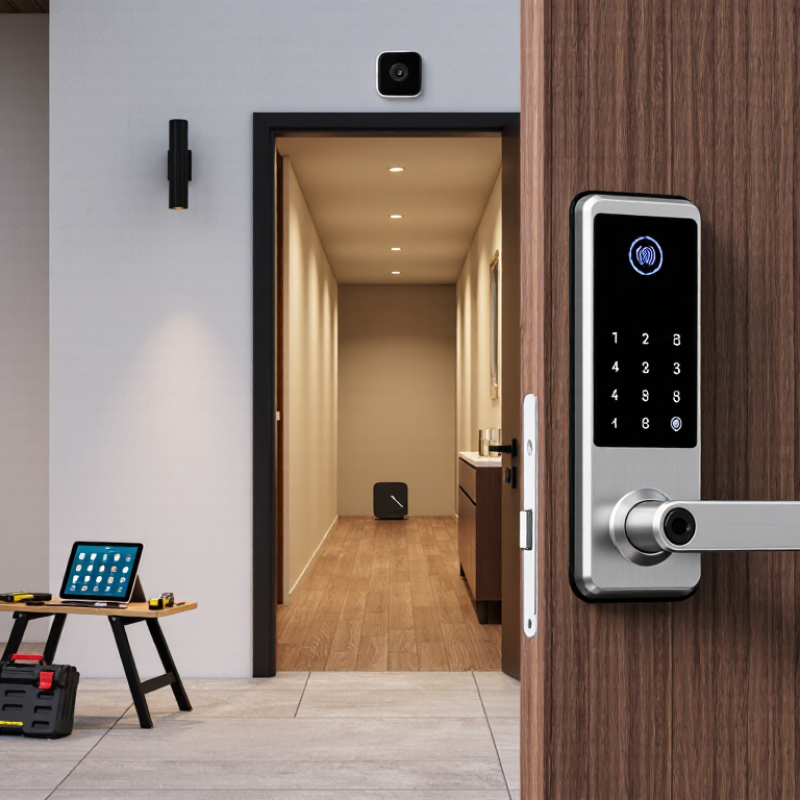
Before choosing smart hardware, inspect the door as if you were troubleshooting a machine. Check its material, thickness, hinge alignment, frame strength, and deadbolt movement. A stiff lock may indicate pressure from a shifted frame, not an outdated mechanism. Measure twice. Also record the door’s swing direction, nearby power outlets, wireless signal strength, and available indoor space.
Define the real purpose of the upgrade. Do you need temporary access for guests, activity records, remote locking, or better control for older residents? Parks Associates’ 2024 consumer research reported that smart-lock ownership remained below one in five U.S. internet households. This suggests many households still need practical guidance before installation. Convenience alone may not justify replacing a reliable lock. Consider battery replacement, emergency access, privacy settings, and compatibility with your existing door.
Security requirements deserve equal attention. NISTIR 8259A recommends unique credentials, secure software updates, and clear data-protection controls for connected devices. Select a system that supports these practices and provides a documented recovery method. I would not rely on wireless access alone. Keep a lawful, physical backup route available. Test the lock repeatedly with the door open, then closed. A perfect installation can still fail through poor user habits. That assumption needs challenging.
Upgrading a traditional door starts with the door itself, not the app. Check the frame, hinges, deadbolt alignment, and available power. A strong retrofit lock cannot fix a warped frame. I have seen small alignment problems cause repeated motor failures. Measure the backset and door thickness before ordering components. Choose a lock, keypad, interior sensor, and communication hub that work together. Wired power suits busy entrances, while batteries help preserve the original structure.
Access methods should match the people using the door. A keypad works well for families, cleaners, and short-term staff. Temporary codes reduce the need to copy physical keys. Mobile access offers remote control, but it depends on charged phones and stable connections. RFID cards can simplify access in offices. Biometric entry may be convenient, yet privacy policies and local requirements deserve careful review. Keep a physical key or approved emergency method available. Technology can fail.
Door position sensors show whether the door is open, closed, or forced. An interior thumb-turn should allow quick exit without an app or network. For shared buildings, connect access records to a secure management system with limited administrator permissions. Use encrypted communication and change default passwords immediately. A qualified installer should verify fire exits, electrical safety, and local building rules. I would also test the system during a power outage, heavy rain, and weak Wi-Fi. One overlooked detail can matter.
Upgrading a traditional door begins with careful preparation, not an app download. Inspect the frame, hinges, strike plate, and door thickness. The door should close smoothly before adding electronic hardware. Even slight misalignment can overload a motorized lock. Measure twice. Drill once.
Remove dust and check whether the existing wiring can support the new system. Smart locks, sensors, and access panels need stable, compatible power. Confirm voltage requirements from the installation instructions. Never guess with electrical connections.
A qualified electrician should handle mains wiring and verify local safety requirements. Low-voltage cables should remain protected from sharp edges and moisture. If outages are common, consider a compliant backup power option. It should keep essential access working without creating a safety risk.
Network preparation deserves equal attention. Test the signal beside the door, not across the room. Thick walls and metal frames can weaken wireless communication. A wired connection may provide greater reliability where practical.
Use a strong, unique password and enable encrypted communication. Keep the control device and its software updated. A separate home network can reduce unnecessary exposure.
However, network settings are easy to overlook during installation. I have seen otherwise neat door upgrades fail because the signal was measured too early. Test again after the door, frame, and nearby hardware are installed. Keep manual access available while testing. The system is not finished when it unlocks once.
Before installing a smart lock, inspect the door, frame, hinges, and existing deadbolt. The door should close smoothly without force. Measure the lock body and backset carefully. Small errors can cause poor alignment. I learned this after tightening a lock that later jammed during testing. Use the installation guide for your exact model. If the door is damaged or unusually fitted, consult a qualified locksmith.
Remove the old interior hardware and keep the original screws nearby. Install the smart lock without overtightening. The thumb-turn should rotate freely. Insert fresh batteries, then pair the lock with its approved mobile application. Create a strong administrator code and separate access codes for family members or trusted visitors. Do not share the master code casually. Configure auto-lock only after checking that the door fully latches.
Add related devices one at a time. A door sensor should sit level, with a narrow gap between its two parts. If remote access requires a wireless hub, place it near the lock but away from metal cabinets. Test locking, unlocking, notifications, and manual entry several times. Test the backup key too. I once ignored a delayed notification and assumed the system had failed. It was a weak network signal. Review battery warnings regularly, and reconsider auto-unlock if your household needs stricter control.
After upgrading a traditional door, test every function before daily use. Check the latch, hinges, keypad, sensors, and emergency power connection. Open it repeatedly from inside and outside. Test failed entries. Then inspect the response time. A door may lock correctly but still report a delayed status. Use a physical key or approved backup method during testing. Record unusual sounds, loose wiring, or inconsistent alerts. These details often reveal installation problems early.
Security settings should match the building’s real needs. Create separate access permissions for residents, staff, and temporary visitors. Remove old permissions immediately when access is no longer required. Keep control devices away from public reach, and protect the network connection with strong, unique credentials. Enable activity logs where appropriate, then review them for unfamiliar times or repeated failed attempts. I once focused too much on the lock and overlooked the exposed indoor power cable. That was a useful correction.
Maintenance should be practical and scheduled. Wipe sensors with a soft, dry cloth. Check screws and alignment every few months. Test batteries before extreme weather arrives. Replace damaged cables promptly, even if the door still operates. Keep firmware and control software updated through verified sources. Do not ignore small delays. They may become failures later. A written inspection record helps technicians compare performance over time, although busy households may forget to update it. A simple reminder system makes this weakness easier to manage.
Check the door material, thickness, hinges, frame, deadbolt, swing direction, and indoor space. Measure twice. A stiff lock may indicate frame pressure.
Identify your actual goal, such as guest access, activity records, remote locking, or easier control. Convenience alone may not justify replacing a reliable lock.
Measure the lock body, backset, door thickness, and available frame space. Confirm the door closes smoothly without force. Small errors can cause poor alignment.
Repair unusual fitting problems before installation. Consult a qualified locksmith when the door binds, shifts, or cannot latch consistently.
Keep the original screws nearby. Install the interior hardware without overtightening. The thumb-turn should rotate freely after installation.
Create one strong administrator code and separate codes for trusted users. Do not share the main code casually. Enable auto-lock only after checking the latch.
Mount the sensor level, with a narrow gap between its parts. Place the hub near the lock, away from metal cabinets.
Test locking, unlocking, notifications, manual entry, and the physical backup method. Test with the door open, then closed. Recheck everything.
Review battery warnings regularly. Use unique credentials, secure software updates, and clear privacy controls. Keep a lawful physical backup route available.
Weak wireless signals can create delays. Check the hub location and network strength before assuming the lock has failed. I once made that mistake.
Upgrading a traditional door into a smart entry system begins with evaluating the door’s condition, frame, locking mechanism, usage needs, and desired level of convenience or security. The process of how to upgrade traditional door systems to smart solutions should also consider suitable access methods, such as keypad entry, mobile control, biometric verification, or temporary digital permissions. Select compatible components that match the door structure and daily requirements.
Before installation, prepare a reliable power source and stable network connection, while checking that the door closes and aligns properly. Install and configure the smart lock, sensors, controller, and any related devices according to their operating requirements. Afterward, test every access method, emergency function, notification, and connection. Finally, strengthen account protection, manage user permissions carefully, update the system when necessary, and inspect the hardware regularly to maintain dependable, secure, and convenient operation.

KBM Living