Modern buildings need more than a sign-in book and a smiling receptionist. They need visibility, consistency, and a practical response when conditions change. This is the foundation of how to improve visitor management with smart systems.
The 2024 Verizon Data Breach Investigations Report found that the human element appeared in 68% of analyzed breaches. That finding matters at the front desk. A forgotten badge, an unverified contractor, or an unattended visitor can create unnecessary exposure. IBM’s 2024 Cost of a Data Breach Report placed the global average breach cost at $4.88 million. Smart registration, identity verification, host alerts, badge expiration, and real-time occupancy records can reduce avoidable gaps. They cannot eliminate every risk.
Security technologist Bruce Schneier offers a useful reminder: “Security is a process, not a product.” Visitor management should therefore connect technology with trained staff, clear escalation rules, privacy-conscious data retention, and regular reviews. A sleek kiosk is not enough. Neither is an impressive dashboard.
The strongest programs begin with small details. A badge should display the visit purpose. A host should receive an instant phone notification. An expired credential should stop working automatically. Emergency teams should know who remains inside.
Still, improvement is rarely perfect. Employees may bypass procedures. Visitors may dislike extra questions. Systems may produce alerts nobody checks. These weaknesses deserve honest measurement, not polished assumptions. This article’s seven tips focus on practical controls, measurable outcomes, and better decisions at every stage of the visitor journey.
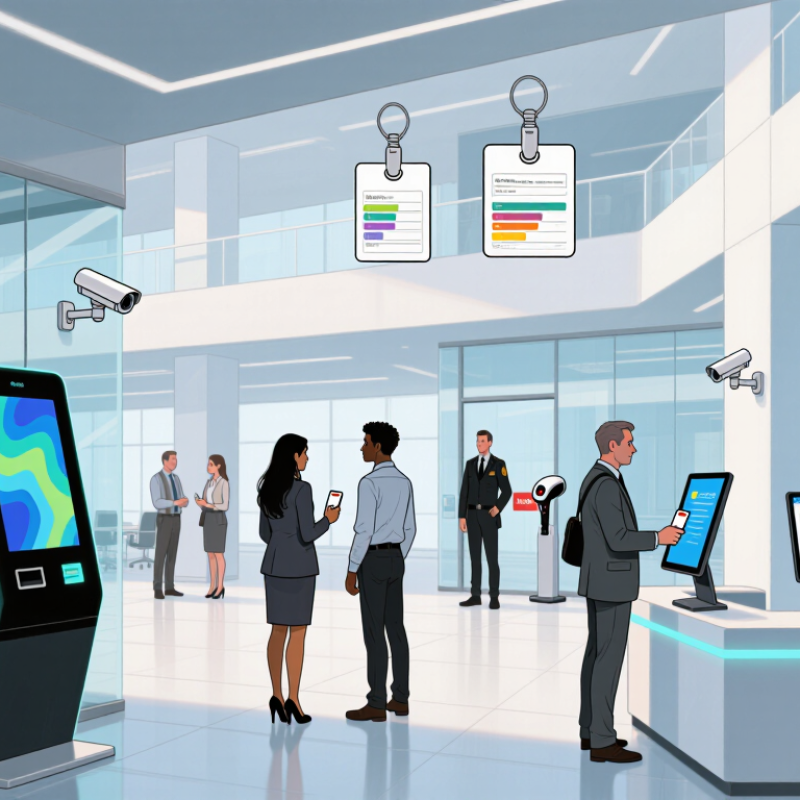
Smart visitor management is more than a digital sign-in screen. It connects reception, identity checks, host alerts, access rules, and departure records. The core function is visibility. Staff should know who arrived, why they came, who approved them, and whether they left. Verizon’s 2024 Data Breach Investigations Report found human involvement in 68% of breaches. That supports seven practical controls: preregister guests, verify identity, notify hosts, issue time-limited badges, restrict access by zone, prepare emergency roll calls, and review visitor logs. Keep it simple. A guest enters basic details, completes an approved identity check, receives a badge, and waits in a visible area.
A reliable system also protects the information it collects. IBM’s 2024 Cost of a Data Breach Report placed the global average breach cost at 4.88 million dollars. Visitor records therefore need encryption, role-based access, defined retention periods, and secure deletion. Automated alerts can show an uncollected guest or an expired badge within seconds. Access logs can reveal unusual patterns, such as repeated visits to restricted areas. However, automation can create false confidence. The weak point may still be an unlocked side door or an untrained host. Teams should test evacuation reports, badge expiry, and manual check-in procedures every quarter. Small gaps remain easy to miss.
| Tip | Smart System Function | Operational Dimension | Recommended KPI or Target | How to Measure | Practical Improvement |
|---|---|---|---|---|---|
| 1. Simplify pre-registration | Online invitations, visitor forms, appointment scheduling, and automated confirmations | Registration completion | At least 90% of scheduled visitors complete required information before arrival | Completed pre-registrations ÷ total scheduled visits × 100 | Use short forms, mark only essential fields as required, and send reminders before the visit. |
| 2. Speed up check-in | Self-service kiosks, QR codes, identity verification, and digital visitor badges | Arrival processing time | Routine check-in completed within 2 minutes | Average time from visitor arrival or scan to badge issuance | Provide clear instructions at the entrance and maintain a staffed fallback process for exceptions. |
| 3. Strengthen identity and access control | Identity validation, host approval, access-zone rules, and badge permissions | Unauthorized-access prevention | 100% of visitors have a recorded host, purpose, and approved access level | Visitor records containing all mandatory approval fields ÷ total visitor records × 100 | Apply least-privilege access, limit badge validity by time, and review exception logs daily. |
| 4. Automate host notifications | Real-time alerts through approved workplace communication channels | Host response time | Host acknowledgment within 5 minutes for standard visits | Median time between check-in notification and host acknowledgment | Escalate unanswered notifications to a backup contact after a defined time limit. |
| 5. Improve safety readiness | Live occupancy records, visitor lists, emergency reporting, and evacuation support | Accountability during emergencies | Visitor and contractor records updated in real time during operating hours | Compare active on-site records with entrance, exit, and security logs | Display a current on-site list to authorized safety personnel and test emergency procedures regularly. |
| 6. Protect visitor data | Consent capture, role-based access, retention controls, and audit trails | Privacy and data governance | 100% of collected personal data has a defined purpose, owner, and retention period | Review data fields, access permissions, consent records, and deletion schedules | Collect only necessary information, restrict access by role, and delete records according to policy. |
| 7. Use analytics for continuous improvement | Dashboards, trend reports, visitor-flow analysis, and audit reporting | Service efficiency and compliance | Review visitor KPIs at least monthly and resolve recurring exceptions | Track check-in time, peak arrival periods, no-show rate, host response time, and badge-return rate | Use trend data to adjust staffing, entrance layout, appointment workflows, and access policies. |
It shows who arrived, why they came, who approved them, and whether they left. Visibility matters.
Collect only essential information, such as name, host, visit purpose, and arrival time. Keep the form short.
Use basic confirmation for ordinary meetings. Use stronger checks before visitors enter sensitive areas.
The system can notify the host, issue a time-limited badge, and direct the visitor to a visible waiting area.
Expiring badges reduce forgotten access. They can also alert staff when a visitor remains onsite too long.
Encrypt records, restrict staff permissions, set retention periods, and delete old information securely.
Keep a manual check-in process. A dead phone or network outage should not stop safe reception work.
Test evacuation reports, badge expiry, and manual check-in every quarter. Real conditions are messy.
Try a crowded lobby, an unprepared host, and a visitor with a dead phone battery. Small gaps appear quickly.
No system is perfect. An unlocked side door or poorly trained host may still create risk. Teams should keep questioning the process.
Smart visitor management systems help organizations create a safer, more efficient, and more welcoming arrival process. To understand how to improve visitor management with smart systems, begin by assessing the site’s layout, visitor types, security risks, privacy requirements, and operational goals. Select digital registration tools that collect only necessary information, support identity verification, and provide a simple check-in experience for guests and staff.
Once the foundation is established, organizations can automate access permissions, host notifications, visitor badge printing, and check-out procedures. Clear workflows can reduce delays while ensuring that visitors enter only approved areas. Smart systems also support stronger security and compliance by maintaining accurate visitor records, applying consistent policies, and improving emergency response through real-time occupancy information. Finally, track indicators such as check-in time, registration accuracy, notification speed, and visitor feedback. Reviewing these results regularly helps refine procedures, address weaknesses, and deliver a smoother experience without compromising safety or privacy.

 KBM Living