Security system integration connects tools that often operate alone, such as cameras, door readers, alarms, and communication platforms. Instead of switching between separate screens, staff can view relevant events in one coordinated interface. A door forced open, for example, might trigger a nearby camera view and notify an on-site operator. That matters. Faster context can help people assess an incident and respond with clearer information.
Integration is not simply a matter of connecting devices. Systems need compatible interfaces, carefully assigned permissions, dependable networks, and regular testing. Small details count. A delayed alert or poorly mapped camera can weaken an otherwise capable setup. Teams should check how devices exchange data, who can access controls, and what happens during an outage. This is where why integration is important in modern security systems becomes clear: coordinated tools can improve visibility, reduce repetitive work, and support more consistent decisions. The benefits depend on thoughtful design, not on adding more technology.
A practical integration plan also accounts for existing equipment, staff training, maintenance, and future changes. Experienced security professionals often begin by documenting current workflows and identifying gaps before selecting a platform. No design is perfect. Older devices may behave unpredictably, and a single dashboard cannot remove every operational risk. Regular reviews help reveal those weaknesses before they become urgent. This guide explains what security system integration involves, how it works, and why organizations consider it when building a more connected, manageable security environment.
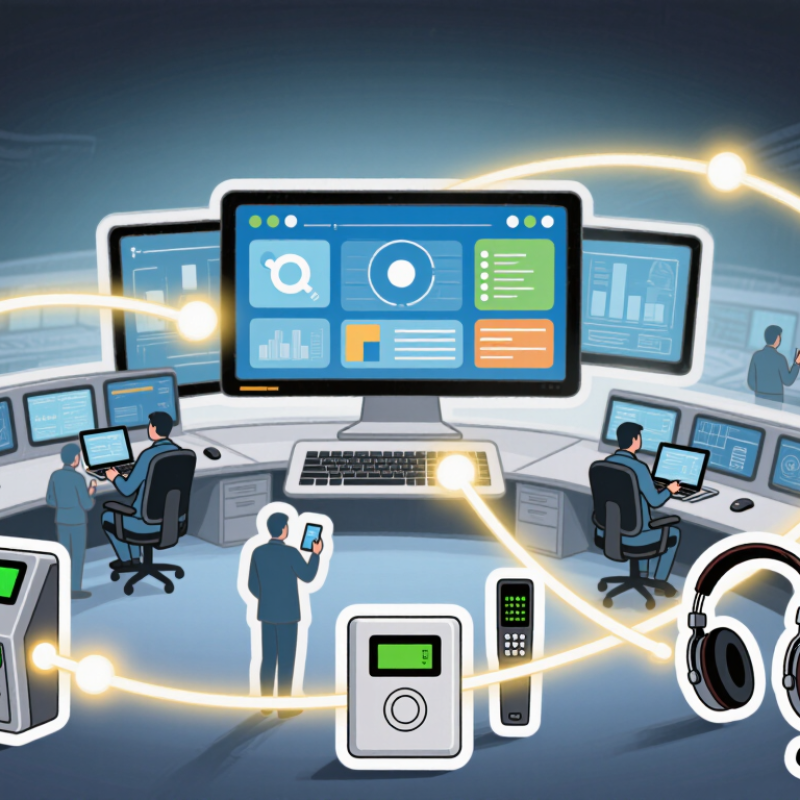
Security system integration means connecting separate protective tools so they can share information and respond as a coordinated whole. A camera, door sensor, alarm panel, and access reader may each work alone. Integration lets an event in one system prompt a relevant action elsewhere, such as showing a nearby camera feed when a secured door opens unexpectedly.
It is more than putting devices on the same network. Systems need compatible interfaces, clear rules, and reliable communication. For example, a small office might link after-hours door activity to a video clip and a notification for the on-call manager. The goal is context, not simply more alerts. Good integration also defines who can view recordings, change settings, and handle faults. That part is often overlooked.
In real buildings, older equipment, weak network coverage, or inconsistent device names can complicate the work. Connecting every device may not be possible or useful. Start with the most valuable workflows, test them during busy and quiet periods, and document what happens if a connection fails. Even a carefully designed system can produce confusing alerts. Human review still matters, and settings may need adjustment as rooms, staff, and risks change.
Security system integration connects separate technologies so they can share events and support a coordinated response. This illustrative example counts the distinct system types involved in common security workflows; it is not an industry survey.
For example, an access-control event can prompt a nearby camera to display relevant footage, while an intrusion alarm can alert a monitoring team. Connecting systems can give operators more context and help coordinate responses.
Security system integration connects access control, video surveillance, intrusion alarms, fire detection, and environmental sensors. A shared platform can link a door event to nearby camera footage, then alert an operator in one workflow. Common components include video-management software, access-control panels, sensors, network infrastructure, and APIs that pass event data between systems. Some sites use edge devices for quick local decisions and cloud services for remote oversight. The design depends on the building. A loading dock, for example, needs different camera coverage and alerts than a server room.
The value is clearer when teams can see related events together. The Verizon 2024 Data Breach Investigations Report found that 68% of breaches involved a non-malicious human element. That does not prove integration prevents breaches, but it underscores how missed alerts and confusing workflows matter. IBM’s 2024 Cost of a Data Breach Report estimated the global average breach cost at US$4.88 million. Integration cannot remove that risk. It can help staff find and assess relevant signals sooner.
But integration is not magic. Older panels may use incompatible protocols, and a single dashboard can hide faulty connections. Test how an alarm appears, who receives it, and whether video loads during a network outage. Keep life-safety functions properly separated and prioritize their required operation. Small details matter: a camera clock running two minutes late can complicate an incident review. Even a well-planned system needs regular testing.
An integrated security system links cameras, door readers, intrusion sensors, and alarms through a shared platform. Each device still performs its own task, but connected software lets events trigger coordinated responses. For example, when a restricted door opens after hours, the reader can flag the event, nearby cameras can display the doorway, and an alarm can notify the monitoring team.
That matters.
Operators see related information in one place instead of checking separate screens and logs.
The system depends on clear rules, reliable networks, and careful setup. A camera may provide useful context, while a motion sensor detects activity in a dark corridor. The platform can combine those signals, but it cannot judge every situation correctly. A delivery cart, for instance, may trigger a sensor without indicating a threat. Staff need procedures for reviewing alerts and recording decisions.
But it takes planning.
Devices must be tested together, permissions should match job roles, and backup power should be considered for outages. Integration can also create a single point of failure if every function relies on one server or network. Keeping manual controls and testing recovery steps helps prevent a small technical fault from disabling the whole response.
Security system integration connects cameras, access control, alarms, and visitor records into one operating picture. Instead of checking separate screens, a guard can see a door alarm beside the relevant camera feed. That context speeds verification and helps teams distinguish a forced entry from a propped door. It also reduces repeated manual steps. Small gains matter. IBM’s 2024 Cost of a Data Breach Report put the global average breach cost at $4.88 million. This figure does not prove integration prevents breaches, but it underscores the value of faster detection and coordinated response.
Integration can improve handoffs across shifts and sites. A facilities manager might receive an access event, while security sees the matching video and maintenance checks a faulty sensor. Verizon’s 2024 Data Breach Investigations Report found a human element in 68% of breaches. Shared event records can help teams spot mistakes and investigate incidents with less guesswork. Still, connected systems need careful configuration, access limits, testing, and staff training; one inaccurate clock or camera label can mislead responders. Integration is not magic. Start with a few high-risk workflows, measure alert-to-verification time, and fix weak points before expanding. Some teams may find their biggest problem is an outdated procedure, not missing technology.
Integrated security planning should begin with risks and daily workflows, not a device list. Map entrances, delivery areas, server rooms, and blind corners. Note when each space is occupied and who needs access. A loading door may need a camera, door contact, and clear after-hours alert rules. Keep it practical. Check network capacity, power, storage, and existing equipment before selecting components. Agree on who can view footage, change permissions, and respond to alerts. Document these decisions. Integration can fail if teams use different terms or nobody owns an alarm after handover.
Maintenance is part of the plan, not a later repair task. Set a regular schedule to test sensors, cameras, locks, notifications, backups, and time settings. Record faults, fixes, and software changes in a shared log. Test realistic scenarios, such as a door opening after closing, and confirm the right person receives a useful alert. Keep access permissions current when staff roles change. Review retention and access practices against organizational policies and applicable requirements. One weak point can undermine the whole system. Maintenance schedules are easy to overcomplicate; a short, assigned checklist is often more reliable than an ambitious plan nobody follows. Review incidents and near misses periodically, then adjust settings carefully. Changes should be documented and retested.
It links cameras, access control, alarms, fire detection, and environmental sensors. A shared platform can show a door event beside nearby camera footage.
Staff can review related signals on one screen and verify an alert faster. For example, they can check whether a loading door is open or forced.
No system can remove every risk. Integration may help teams notice relevant signals sooner, but it cannot replace careful procedures or trained staff. Not magic.
Map entrances, delivery areas, server rooms, and blind corners. Check network capacity, power, storage, and existing equipment before selecting components.
Older panels may use incompatible protocols, and dashboards can conceal faulty connections. Test who receives an alert and whether video loads during a network outage.
A camera clock running two minutes late can confuse the event timeline. Incorrect labels can also send responders to the wrong camera. Small things matter.
Use a short, assigned checklist to test sensors, cameras, locks, notifications, backups, and time settings. Record faults and fixes in a shared log.
Start with a few high-risk workflows and measure alert-to-verification time. Review incidents, update settings carefully, and retest every documented change. Plans can still miss things.
Security system integration connects cameras, access control, alarms, sensors, and related technologies so they can share information and work together through a coordinated platform. When an event occurs, such as an alarm being triggered or an unusual entry being detected, connected systems can provide relevant alerts and information in one place. This gives security teams a clearer view of activity and helps them respond more efficiently than managing separate systems independently.
Understanding why integration is important in modern security systems also means considering its practical benefits: improved situational awareness, streamlined monitoring, and easier coordination across people and devices. A successful integrated system starts with clear security goals, suitable technology, and careful planning for how components will communicate. Regular testing, updates, and maintenance help keep the system reliable as needs change. By combining thoughtful design with ongoing oversight, organizations can build a more consistent and adaptable approach to security.

KBM Living